Screen distortion after a short while using KVM mode

I am currently controlling one system from another with both using Windows 10.  I also aligned the resolutions to both 1920x1080.  At seemingly random intervals when controlling the remote system the screen and input freezes and after a few seconds the screen displays as such:

Yes, this was taken with my cell but that is due to taking a screenshot on this system returns a normal picture.  Even in this state, I can see the mouse is functioning and control remains but with the distortion it is nigh impossible to accomplish anything.

If I return to my primary computer and then reconnect, everything looks fine.  If I go downstairs to the remote computer I see no evidence of this distortion.

I have tried to find similar issues or potential permanent fixes but I am striking out.  Has anyone else experienced this or have any clue of something else to look into or tweak?

8,045 views 14 replies
Reply #1 Top

Hello,

I have forwarded your report to the Stardock support team for their review and recommendations.

Please keep an eye on this thread for any updates.

We really do appreciate your feedback, thanks.


AzDude
Stardock Community Assistant

Reply #3 Top

Hello,

Sorry to hear you are having trouble.

  • How often does this happen?
  • What is the connection medium for each?
  • How old are the video drivers on the remote?

Sean Drohan
Stardock Support Manager

Reply #4 Top
  • It happens anywhere within 5 min to an hour from the initial connection. 
  • Both are connected via wifi.  One via wifi5 the other via wifi6
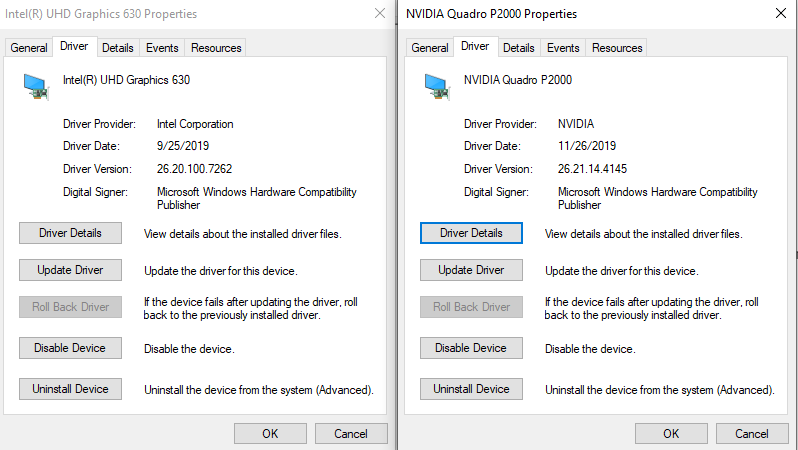
  • Drivers are a bit behind and I will look into updating them:

Reply #5 Top

sdRohan,

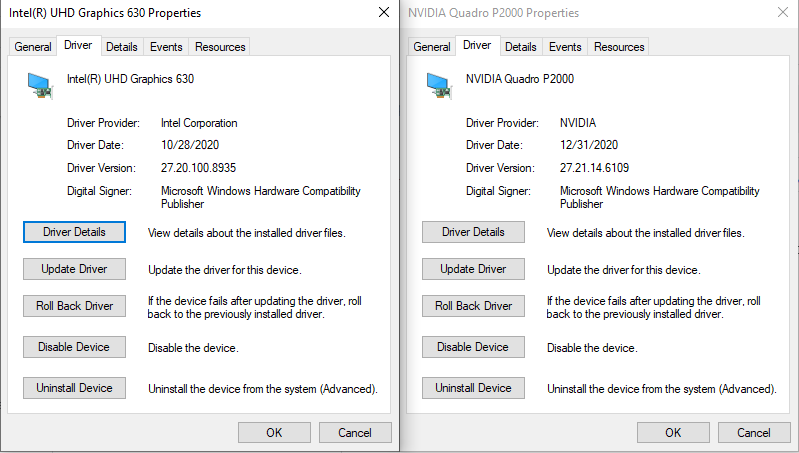
I updated the drivers to the latest Dell has out but it still seems to be happening:

I did notice that one time, everything "locked up" as usual but it returned to normal functionality instead of the distortion. 

Reply #6 Top

sdRohan,

Anything else to check into on this?  It sort of makes multiplicity unusable for anything but quick KVM sessions as anything of length increases the likelihood of this display issue.

Reply #7 Top

sdRohan & AzDude,


The problem is still happening, where can we go with this situation?  Is there any debug or any other form of logging that can be viewed/enabled to understand why Multiplicity is glitching out like this?

Reply #8 Top

When it glitches does it continue to show glitches when say you scroll a webpage, or do new parts of them show without corruption?

Trying to work out of it is a single glitch or if once started it continues until a new connection is made.

Reply #9 Top

Neil,

Yes, it is the whole screen that is displayed that way.  I can see actions I do with the mouse and keyboard are performed in the background (can confirm if I go to the actual remote machine itself) but until I fully disconnect out of KVM mode, the glitching does not dissipate.

For further scope:

To connect I:

Right-click Multiplicity icon in the bottom right, click KVM mode..., then click Connect for the remote computer.

To disconnect I:

Move the mouse to the top middle of the screen, click Disconnect from $Hostname, then click Return to Primary Computer

Reply #10 Top

azDude, sdRohan, Neil,

Does anyone have any thoughts on this?  Is there an official support ticket route I should take or is that essentially this forum as it seems?  I would really like to utilize this application as when it is working it fits my needs but this behavior blocks half of the applications use for my intent.  Further assistance would be immensely appreciated.

Reply #11 Top

We just have never seen anything like this.

Do you connect to any other remote PCs where this happens as well... or no... its just this one?

Is the remote a laptop - perhaps with the lid closed?  If so, and you keep it open, does it still happen?

Is the remote set to sleep?  If so, and you do not sleep it (just power down the monitor), does it still happen?

Sean Drohan
Stardock Support Manager

Reply #12 Top

There are only two systems in this configuration and both are always the same two laptops.  When this situation happens it has the following configuration:


Source Laptop:

Using built-in display, upstairs, running on wifi and plugged in


Remote Laptop:

The lid is closed, connected to a 34 in display via HDMI - downstairs - running on wifi and plugged in


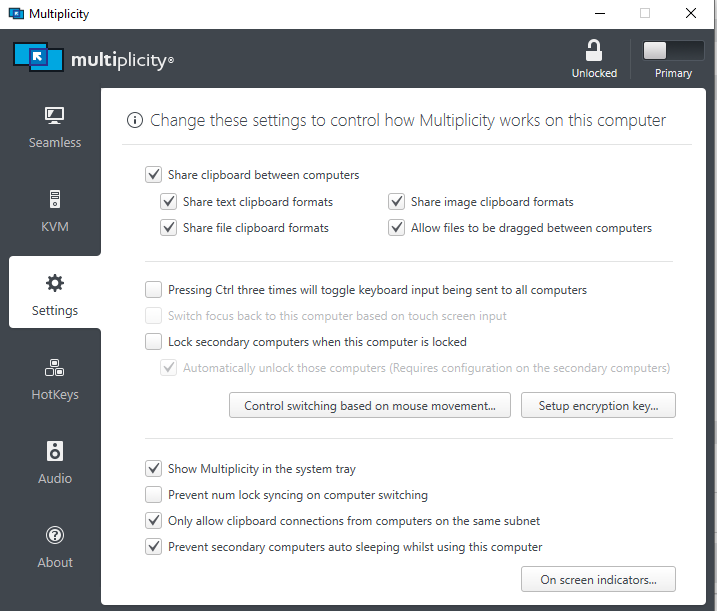
Regarding sleeping, the remote laptop is set to sleep by default but in the Multiplicity settings I have it set to inhibit that (last checkbox below)

Reply #13 Top

As a side note, if I bring the source laptop downstairs and utilize the seamless mode with both laptops plugged into 34in displays over HDMI and lids shut, everything works just fine.  This ONLY happens using the KVM mode.

Reply #14 Top

The process here is to find out what makes it NOT happen so this is why the 'no lid closed' - 'no sleep' efforts were mentioned.

If I could reproduce this, or ever had a prior case, I could participate more but...

Sean Drohan
Stardock Support Manager