' File Download- Security Warning ' Prompt

i Need help to find solution

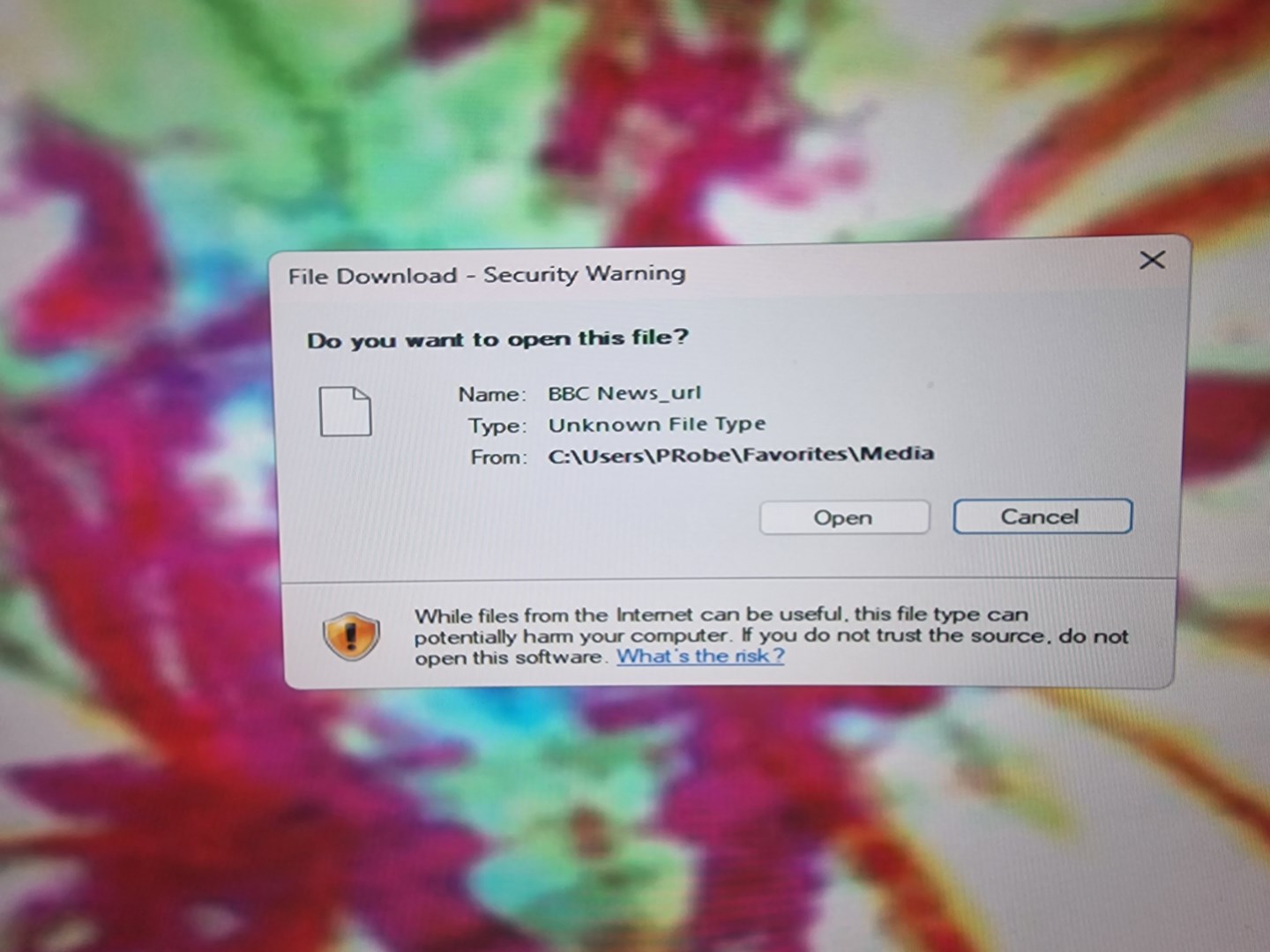
Once again I get a  ' File Download- Security Warning ' Message when attempting to open a Link in my favourites folder from my start menu which is in windows 7 appearance. it completely reduces  my productivity by the waste of time. am using Windows 11 Pro 64 bit and also sticking the to 23H2 version as 24H2 causes my DeskScapes 11 to stop working. 

I've tried almost every online video tutorial with no success, I only want my windows 11 to appear like the Windows 7 look I prefer.

Any help or advice for a solution would much be appreciated, what was Microsoft thinking of with the many Issues that the 24H2 release  caused .

Regards .Paul Robertson

319 views 7 replies
Reply #1 Top

Paul, I didn't succeed in understanding what Stardock software you're using and which version of it. Is it Start 11 v2? Windowblinds11? A security warning is from Windows Defender or a security app. Which security software are you using? What folder are you downloading?

Reply #2 Top

Hi DrJBHL, Stardock Start 11 v2 , using favourites folder located in another drive for documents and its AVG internet security .

Reply #3 Top

Hello, Sorry to hear you’re running into that issue. To help us narrow things down, could you share how you determined that the security warning prompt was linked to Start11 rather than another source?

It would also be very helpful if you could provide:

  • Your full Windows 11 version and OS Build number

  • The full version number of Start11 you’re using

  • A screenshot of the prompt itself

With that information, we’ll be in a much better position to understand where the message is coming from and guide you further.

Thank you,
Basj,
Stardock Community Assistant.

Reply #4 Top

Hi Basj.

I have Windows 11 Pro 64 bit 23H2.

Build No. 22631.6199

Stardock  Start 11  2.6.0.2


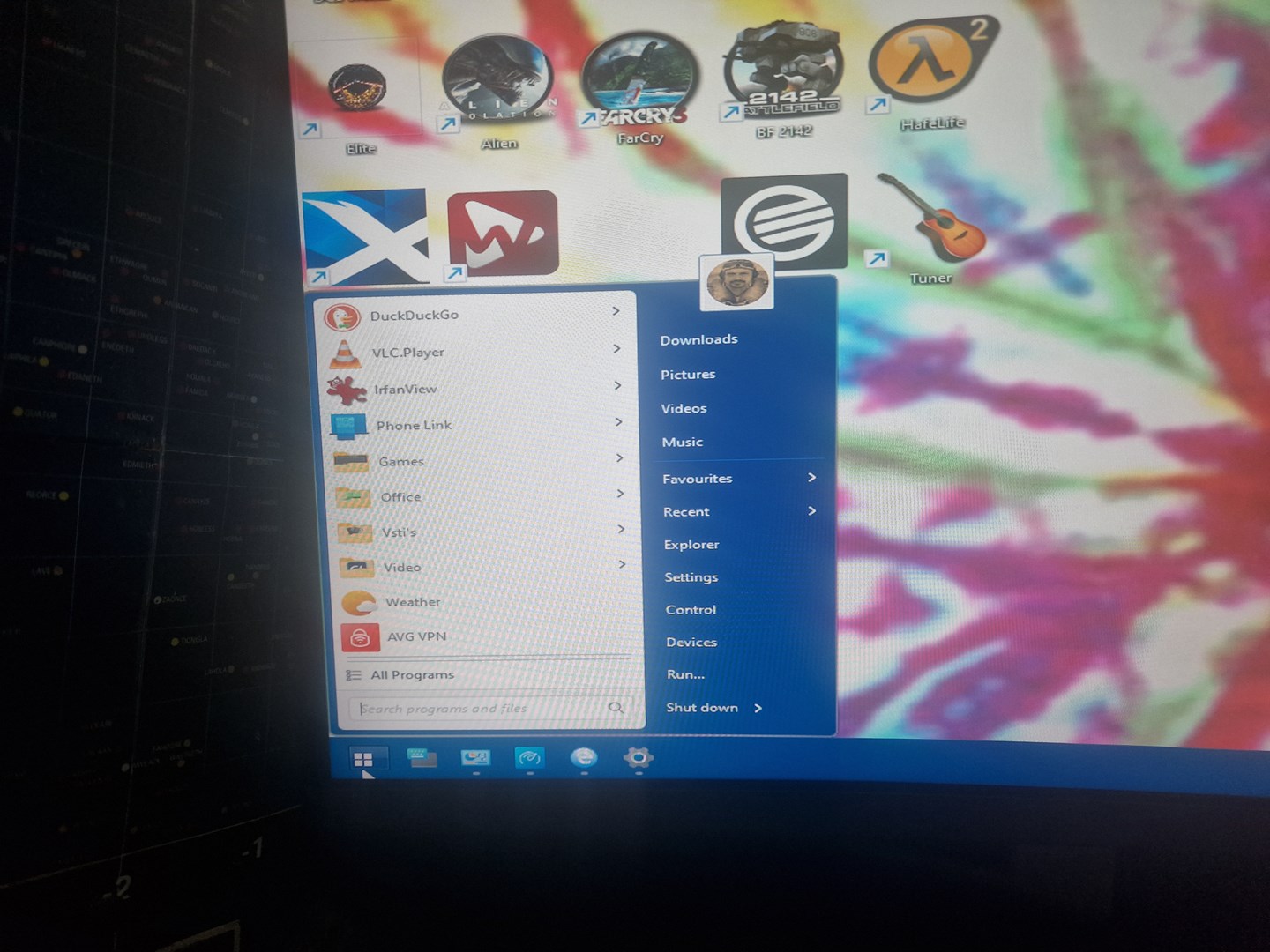
Pic 1. How I like my start Menu with windows 7 look.

how I like my start menu windows 7 look

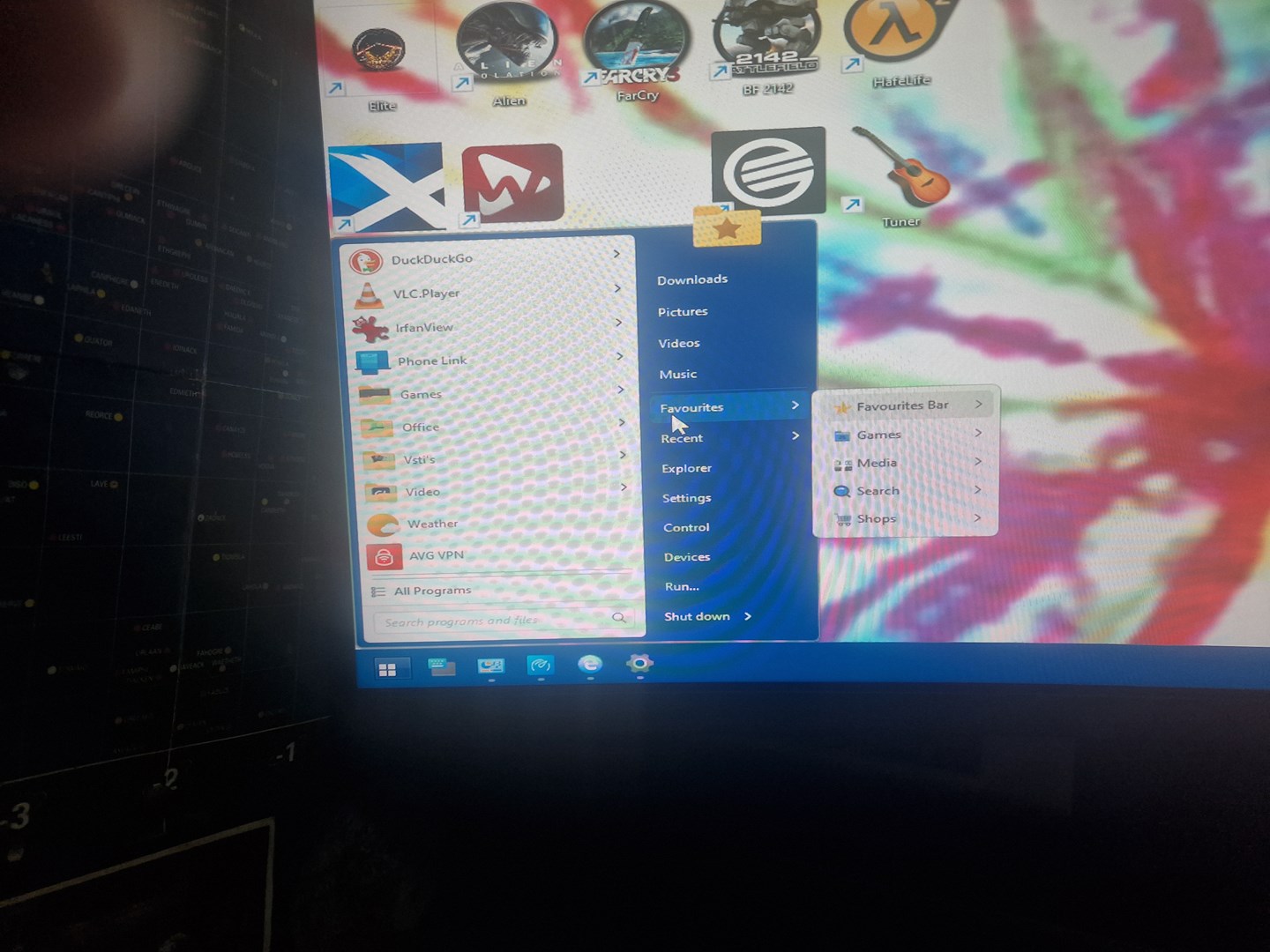
Pic 2. how I Prefer to open Favourites Links.  

How I prefer to open Favourites links.

Pic 3. The prompt that always appears before opening link.

The prompt that always appears


Regards . Paul

Reply #5 Top

If you go to that folder manually via File Explorer does something appear in there? "C:\User\PRobe\Favorites\Media"?

Thank you,

Basj,
Stardock Community Assistant

Reply #6 Top

So, you're getting the warning on an internet link in the folder because it isn't an actual file type. Rather it's a url which AVG is warning about. I would think that the solution is "whitelisting" the url in AVG. I looked it up for you from AVG.

"Menu > Settings > General > Exceptions, and click Add Exception. Type the URL (e.g., *example.com*) and click Add Exception to save. 
Steps to Whitelist a URL in AVG (General):
  1. Open AVG: Open the AVG AntiVirus application.
  2. Access Menu: Click on the Menu (three horizontal lines) in the top-right corner and select Settings.
  3. Navigate to Exceptions: Select the General tab in the left panel, then select Exceptions.
  4. Add Website: Click the Add Exception button.
  5. Enter URL: In the dialog box, type the URL you want to allow. Use wildcards for best results, such as *example.com*.
  6. Confirm: Click Add Exception to confirm and save the settings. "


+2 Loading…
Reply #7 Top

Yes, as Doc says...it's the url that AVG is in a panic about.

My 'solution' to annoyances with windows 11 was just staying native with the Windows 7 look by continuing to run Windows 7.  [lateral thinking]...;)

+1 Loading…