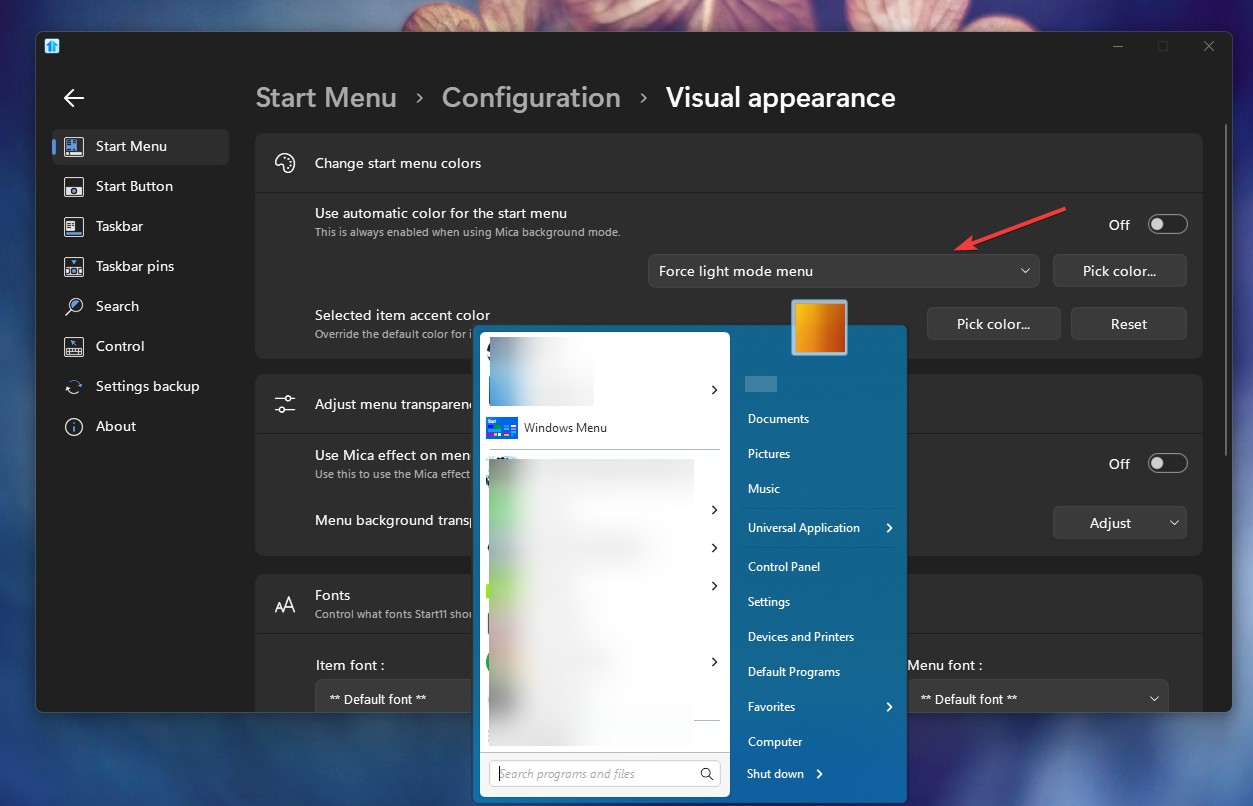
Start menu background
Just installed 2.7 update.
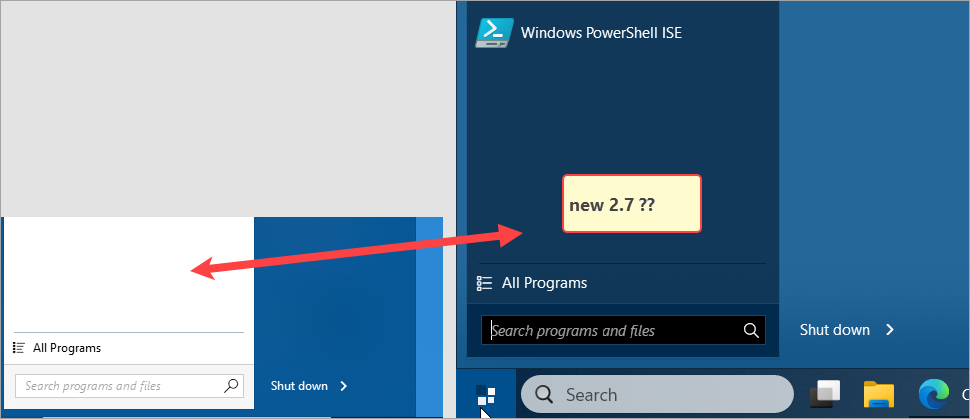
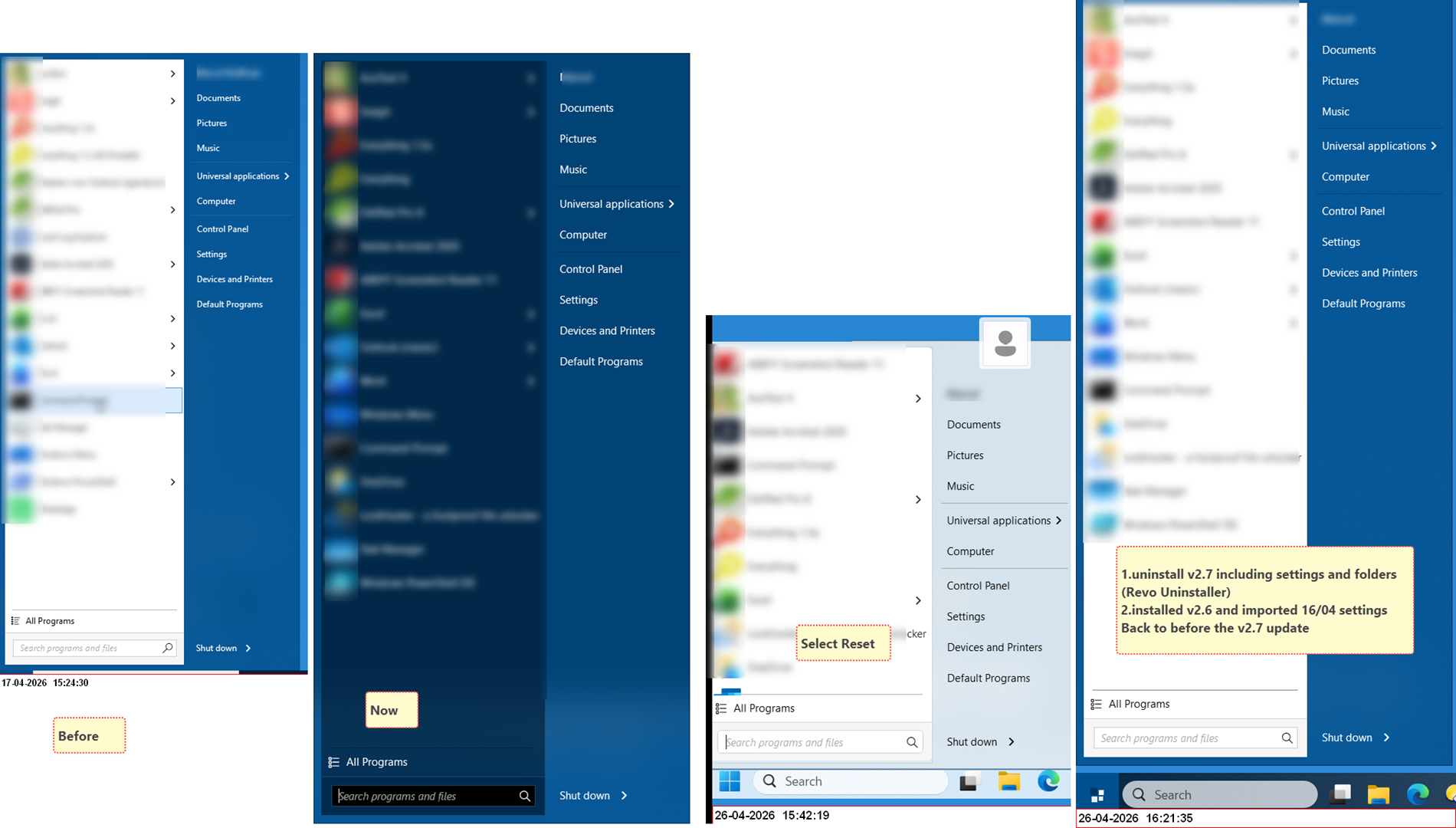
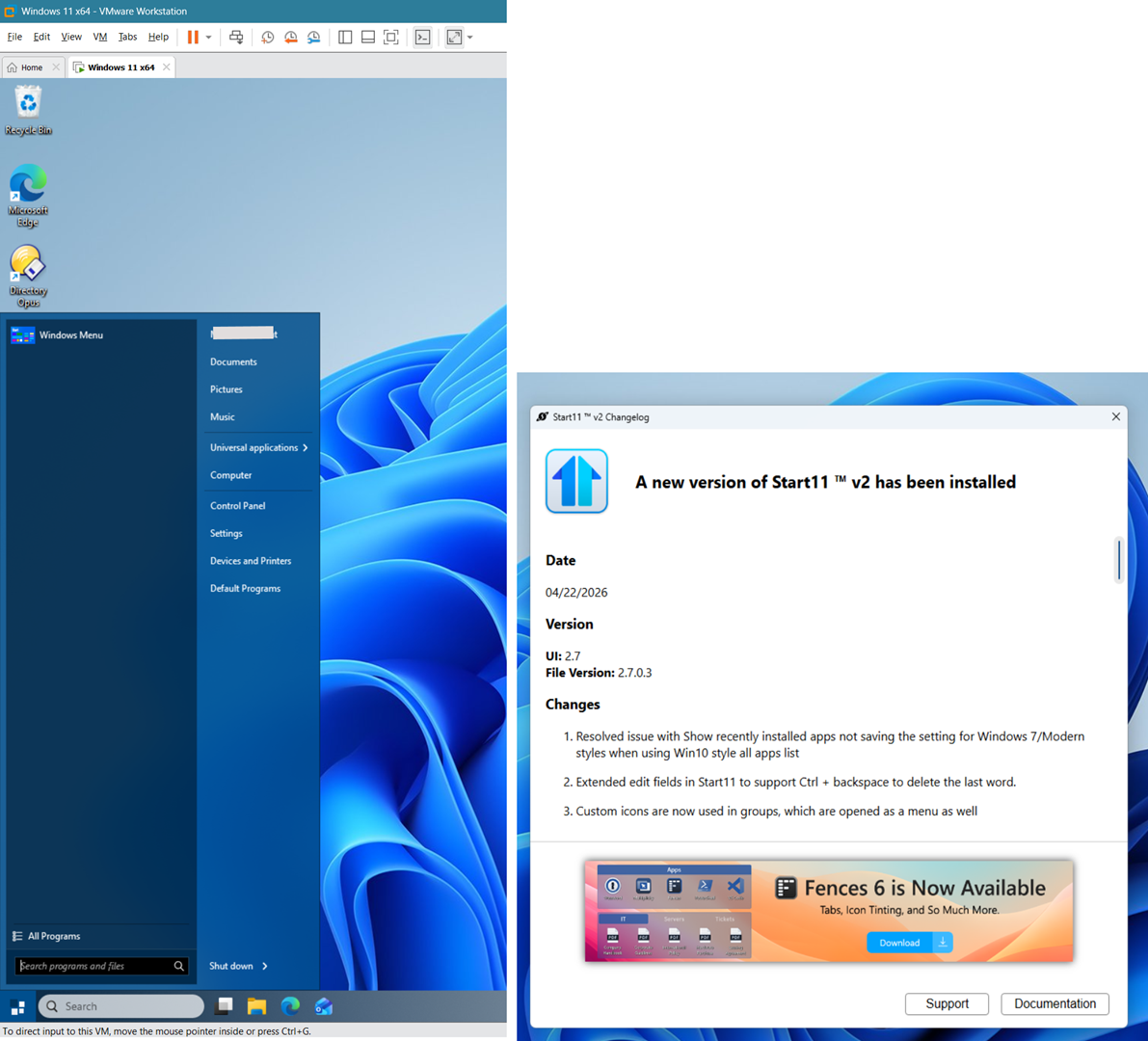
The Start menu (Windows 7 style) shows a blue background, it was white.
Restored settings (April 16), but that did not help.
Is this correct?
Thanks
Just installed 2.7 update.
The Start menu (Windows 7 style) shows a blue background, it was white.
Restored settings (April 16), but that did not help.
Is this correct?
Thanks
Hello,
Sorry to hear you are having issues. Not really sure, is this on Windows Dark and Light mode? Also need to know your Windows 11 full version and OS Build number. Please use Winver.exe to get this number.
Also, do know that changes listed in V2.7.0.3: Refer: https://forums.stardock.com/541381/get;3991846
Thank you,
Basj,
Stardock Community Assistant.
Good day to you,
Thank you very much for your quick reply.
It is Windows 11 x64 Pro v25H2 26200.8246
In Light mode.
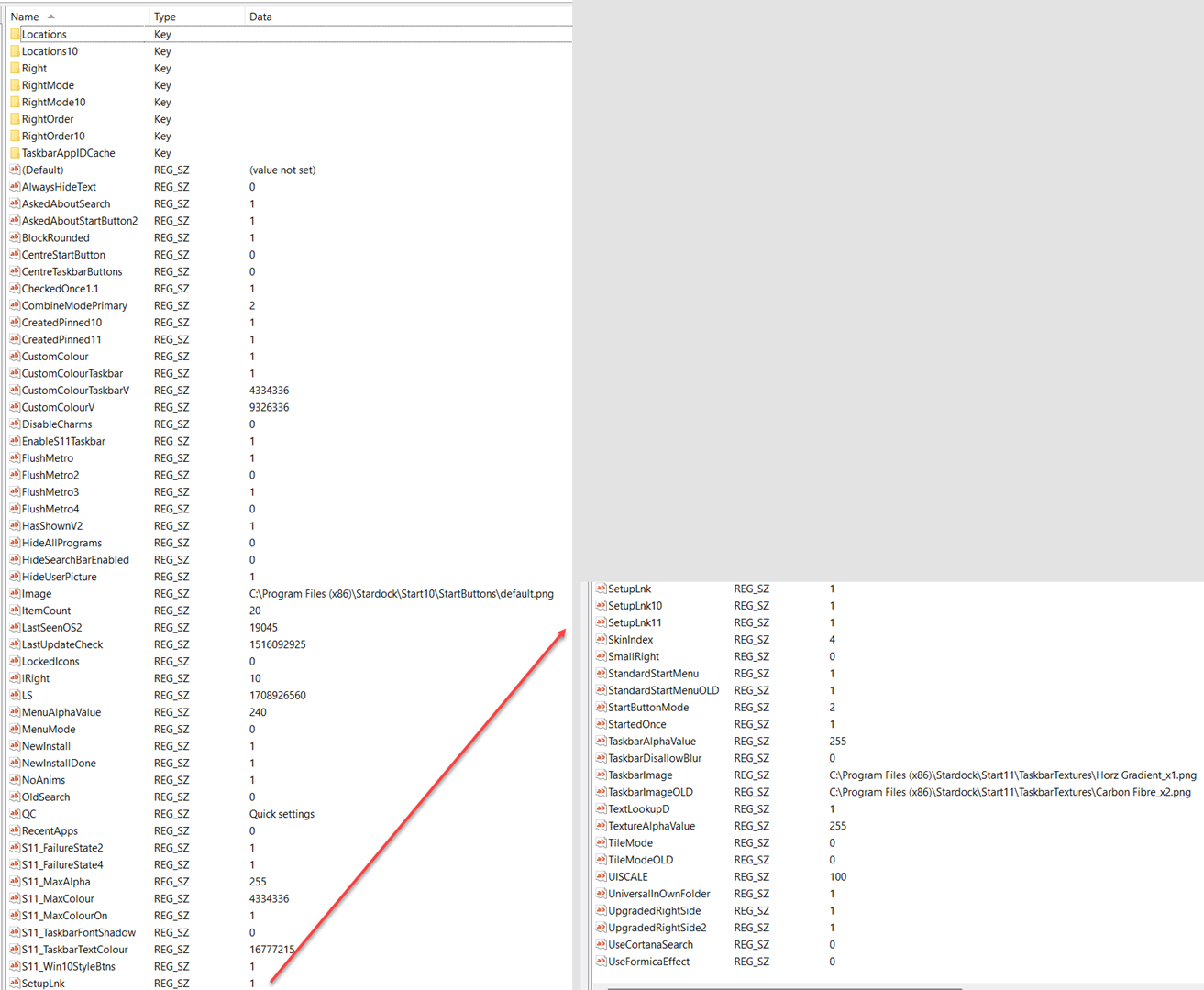
As for the .ini in the registry, I am afraid I can't be of much help to you.
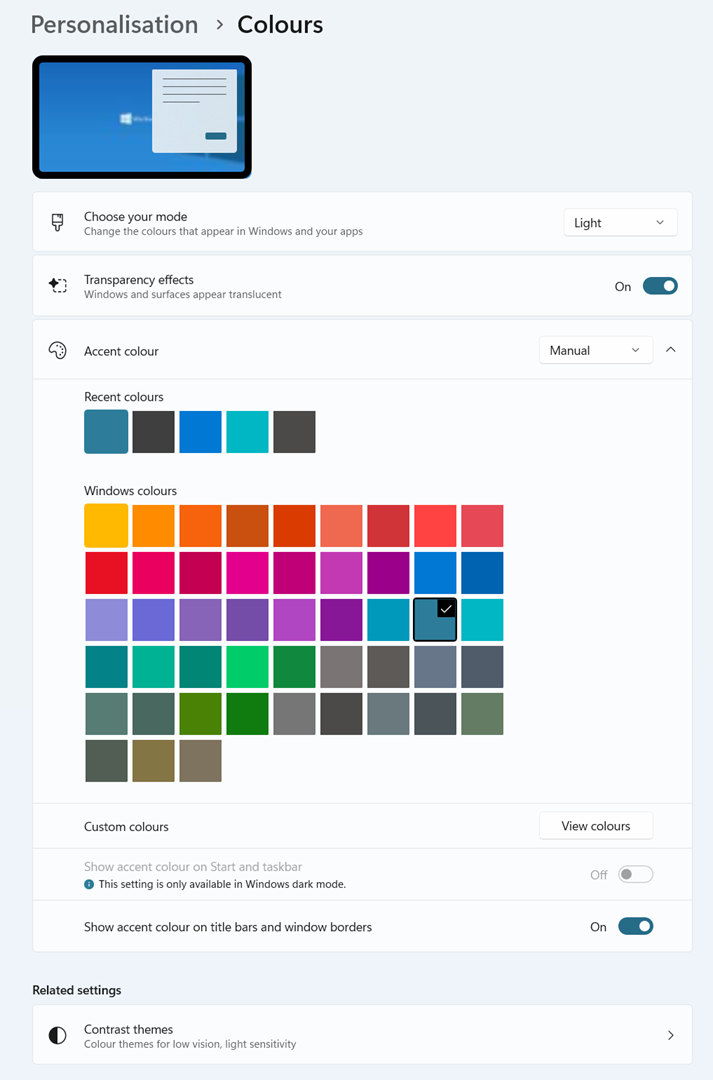
Just FWIW The 'Start11' colour in Windows 7 style, right panel (where it says: Settings, Control panel, Devices and Printers, etc.)
New: #26679A
Old: #055592
Best regards
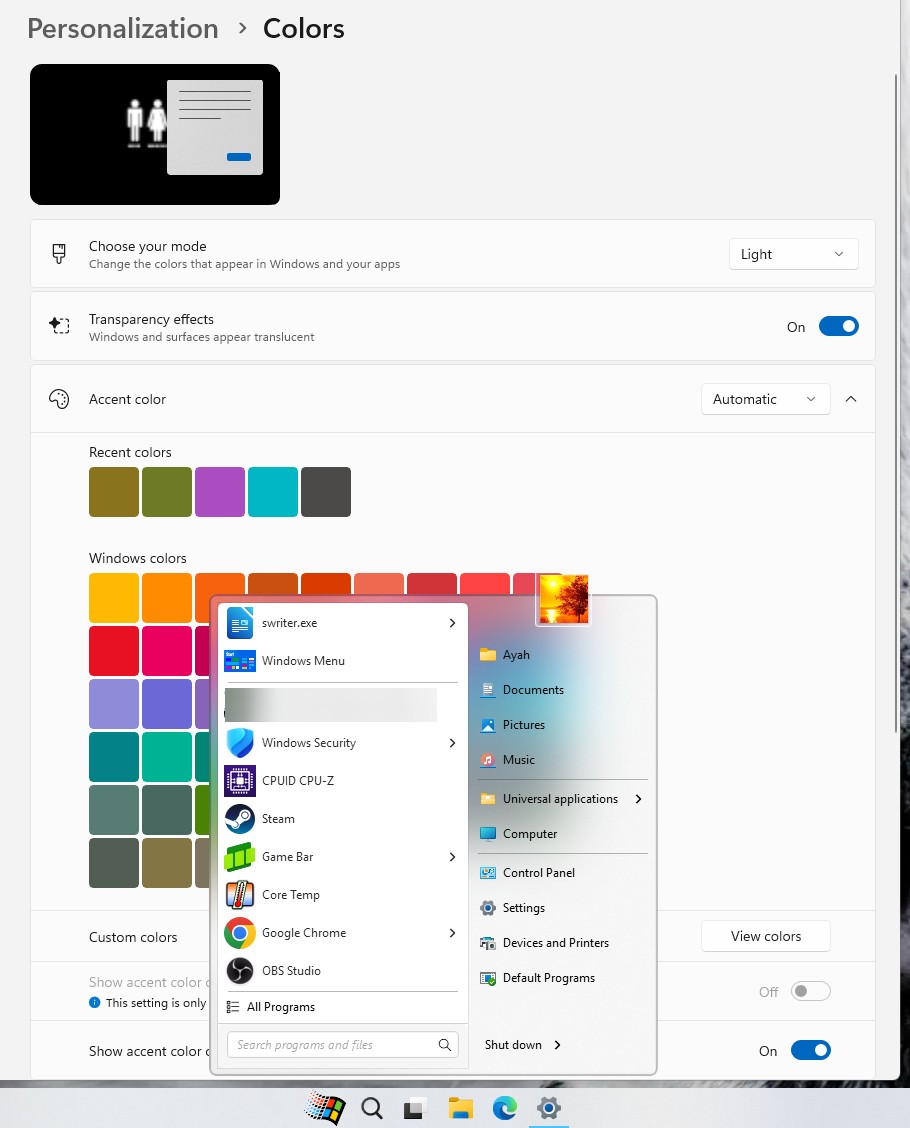
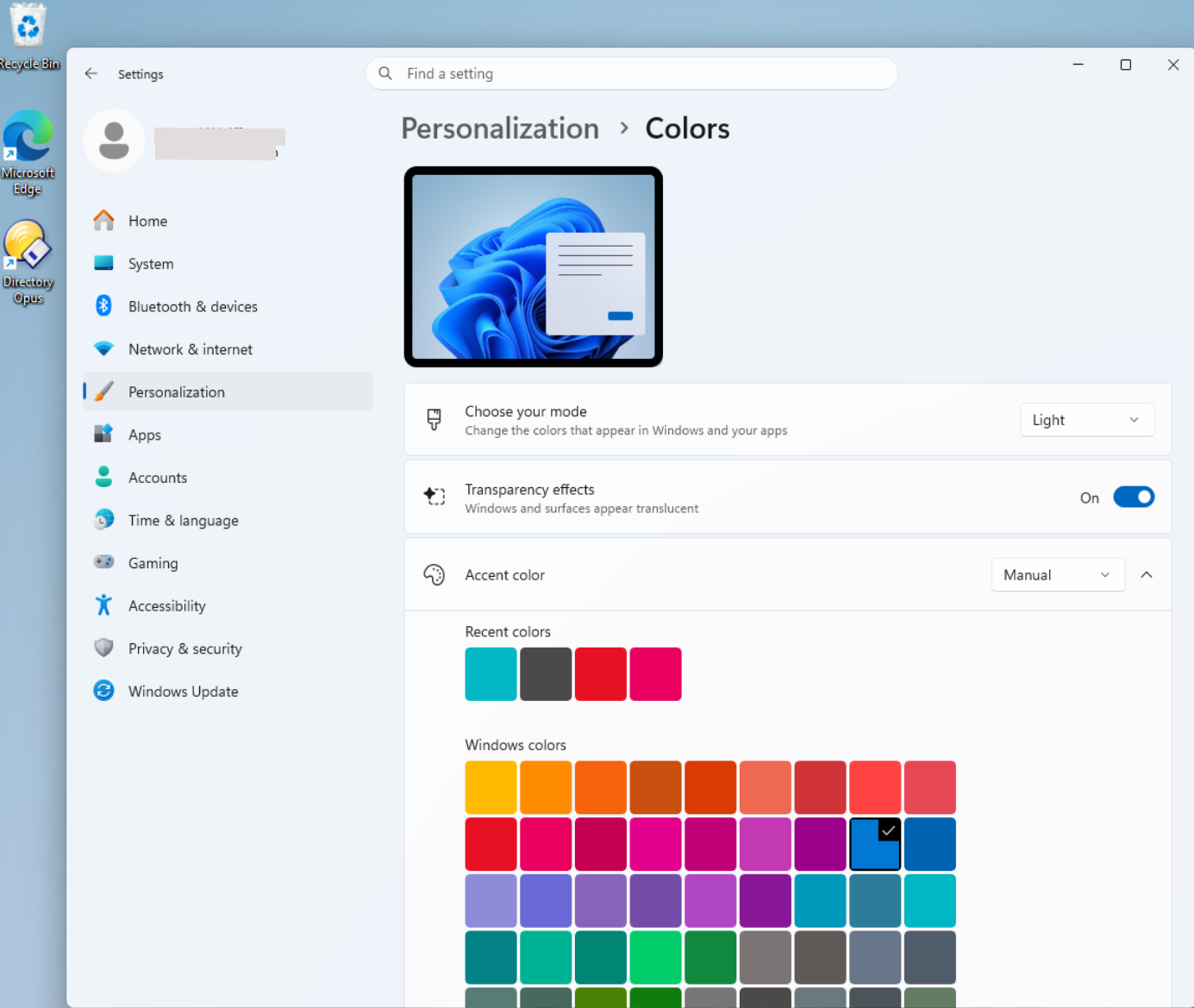
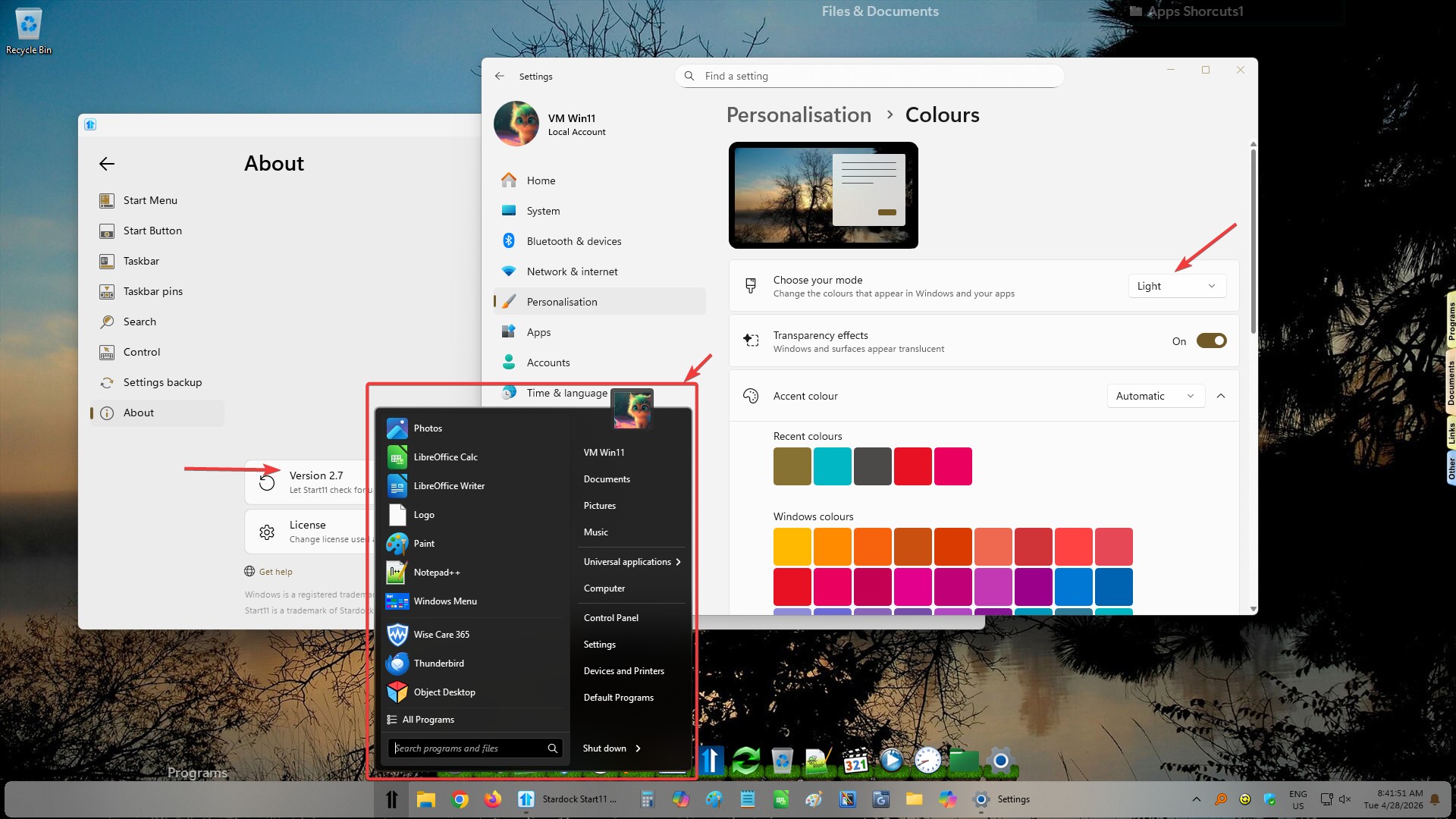
If on light mode you should get these.

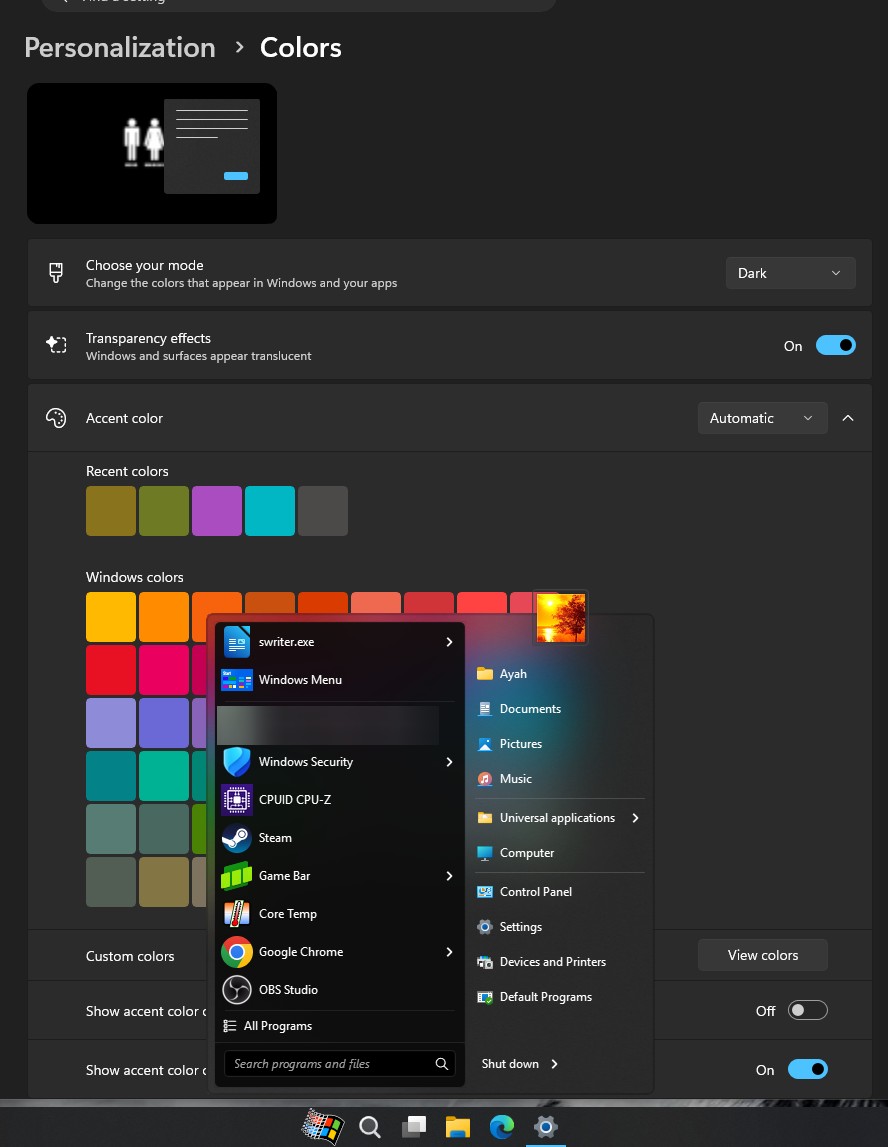
Dark mode

Thank you,
Basj,
Stardock Community Assistant
This is what I have (see below)
(have made the width somewhat smaller)
The 'tagged' colour is the one used as title bar colour (same as Windows 10)
As said, restoring Start11 backup of 16-04 did not change anything.
Oh... wait a minute, maybe I should reboot after the restore?
Don't know.
Best regards from Start11 dummy ..

Perhaps something did not get installed properly. Please try, uninstall Start11, reboot immediately (important), download latest version available in your account product download page: https://store.stardock.com/myaccount/products. Install it, reboot immediately again. Retest it and report back.
Thank you,
Basj,
Stardock Community Assistant
Very sorry for responding so late.
Did as you suggested.
At uninstall I did -not- select the "Settings". Reason: was hoping it would not be necessary and just a re-install would fix the issue.
Regretfully not: same situation.
Gave 'Reset' a try and then imported the 16-04 settings. However, got the same effect.
Resetting to default settings and going through all the window panels and settings, it was too much work.
The screencaptures of all the settings were 2023 and things had changed since then.
As a last attempt I uninstalled v2.7 again, including settings, including folders and all (Revo Uninstaller).
Re-installed v2.6 (previous version) and restored settings 16-04.
Things are back as they were now.
Will wait a moment before installing v2.7
What i don't get is that, on your system. You mentioned that you on Light mode, but, your Start11 v2.7 was using the dark mode version Start panel. Perhaps something is somehow forcing Start11 v2.7 to think that its on Windows dark mode. As a test. Please do a Sandbox test and see if the issue still appear while in the Sandbox, refer here for steps: https://support.stardock.com/space/SHC/1416855562/Testing+Start+in+Sandbox. Try that and report back.
Thank you,
Basj,
Stardock Community Assistant
I already have a VM (VMware Workstation) in place, a clean one, with only Directory Opus installed. Light Mode. Windows 11 x64 Pro.
Gave it a try, same effect.


I believe I can reproduce this one on my other system. This is strange, however, I have forwarded your problem/question to Stardock Support Team for their assistance. Please keep an eye on this thread for any updates. We appreciate your feedback and patience. Thank you.

Basj,
Stardock Community Assistant
Thanks a lot.
Let's wait and see.
I guess Microsoft is making life increasingly more difficult for 3rd party developers...
Thanks for the support so far.
Have a great day.
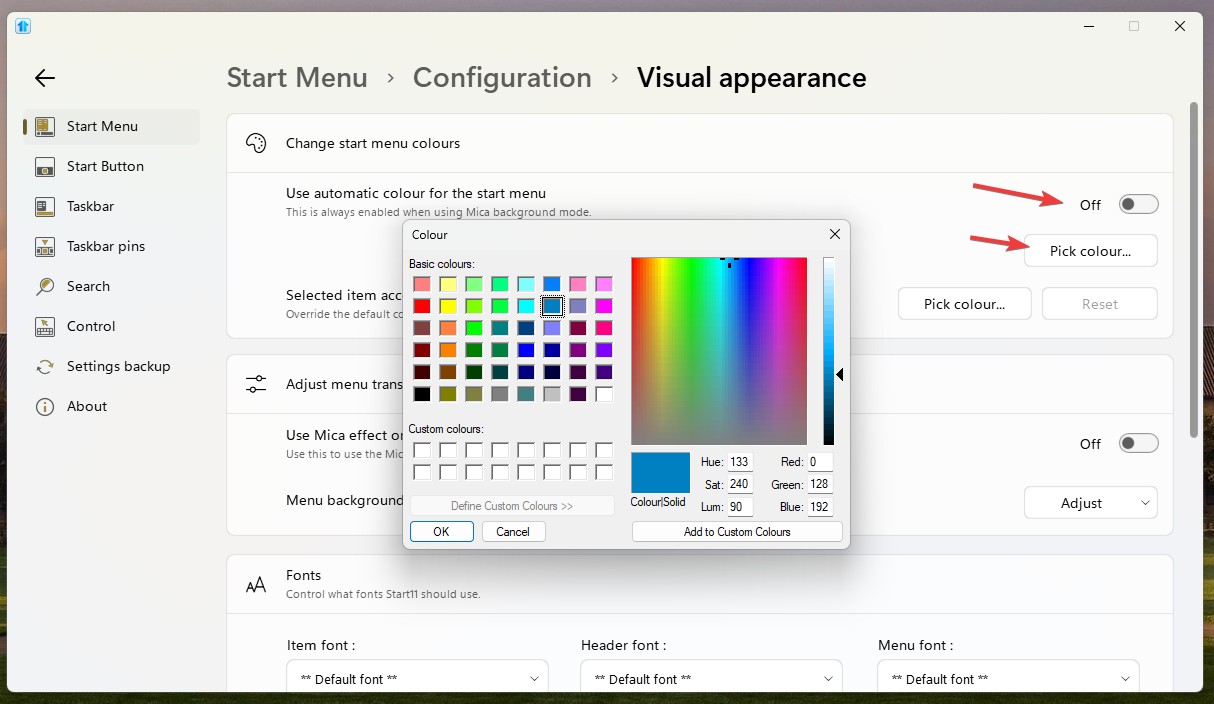
As a test, refer to my screenshot below.

Thank you,
Basj,
Stardock Community Assistant
I will do that on the clean VM. Which I had restored to the previous Start11 (2.5?).
Do you want me to do pick colour with 2.5 or update to 2.7 and do that with 2.7 ?
thanks.
Please do on v2.7.
Thank you,
Basj,
Stardock Community Assistant
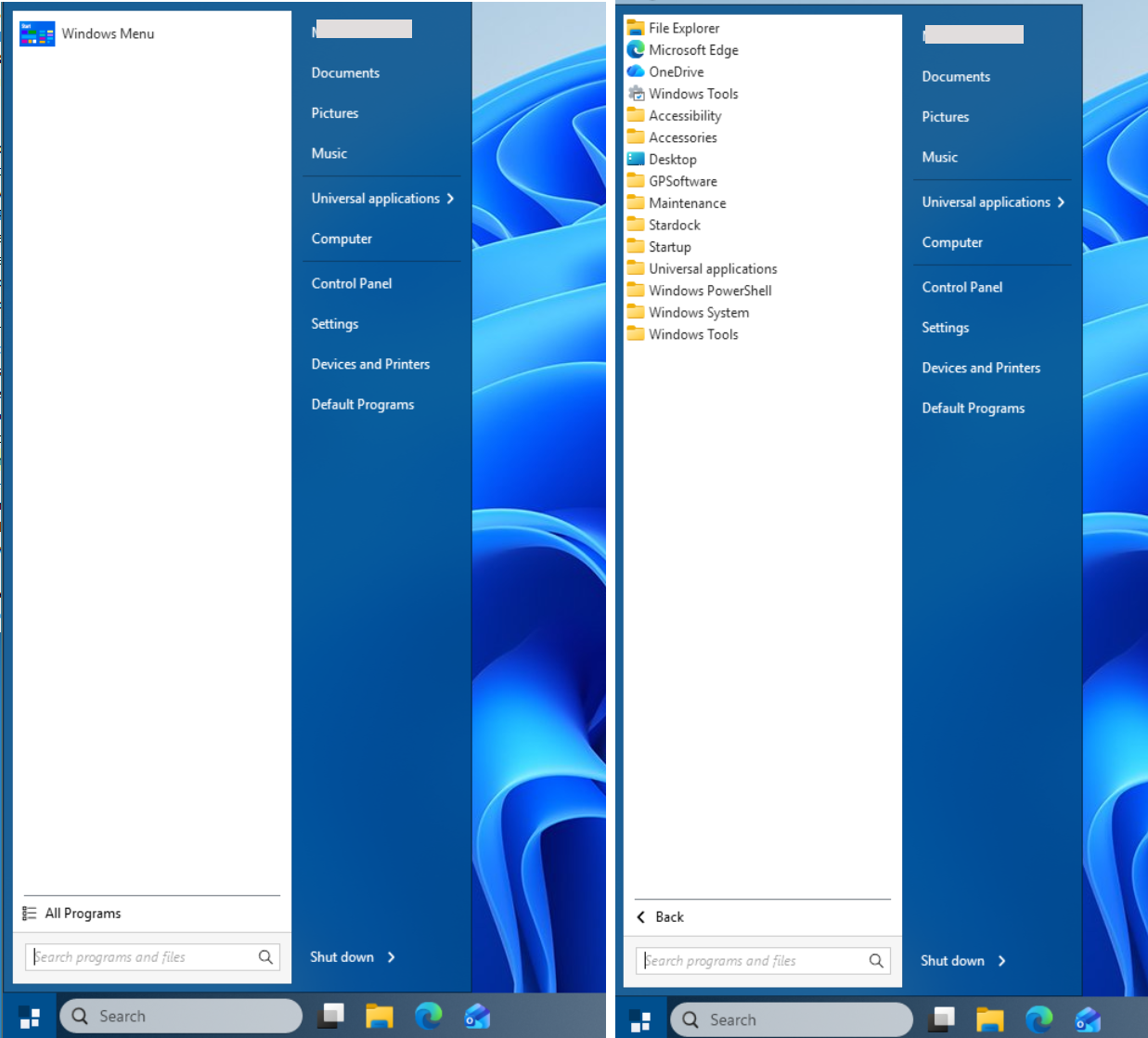
We have added an option to control this in the next beta update of Start11.
I saw the beta v2.7.1 and assumed I would get that one when Start11 prompted me to update.
Instead I got the 2.7.0.3 (april 22) so the same background as when started this thread.
Regretfully so.
User will never get notification for Beta released. If you wish to try it you'll need to download and install it manually. It should be available in your account product download page: https://store.stardock.com/myaccount/products.
Added:
With v2.71 Beta: You should be able to get something like this.

Thank you,
Basj,
Stardock Community Assistant
Thank you.
I suppose I need to uninstall Start11 again and revert to 2.6.0 (import backup settings) and then install 2.7.1 ?
No, I don't think you need to do that, just install over.
Thank you,
Basj,
Stardock Community Assistant
Welcome Guest! Please take the time to register with us.