Exporting XSI Messes Up UV Map

Hi all,

So I'm making a model and I prefer using 3ds Max to create my UV maps. I export an .obj from 3ds Max and import it into XSI, add my bones, hook up the textures, export and convertXSI. The problem is when I load the model in Sins the UV map has been messed up and no longer is what I had in XSI. Additionally reloading XSI the model has the messed up texture while when I initially export from XSI the model appears as I want it to.

For what it's worth when I export my model I get a warning that says

Function not implemented in EXP version.

But the model still exports, albeit with a distorted UV Map. Any help with what I'm doing wrong?

40,091 views 10 replies
Reply #1 Top

For what it's worth when I export my model I get a warning that says

Function not implemented in EXP version.

Some have clicked the X to close the dialogue, don't, click the OK. It will do that for every texture sheet connected.

Other than that, I would need to see the .obj you imported and or the scene you are exporting.

Reply #2 Top

Clicked OK and still had my UV map distorted. I'll report back when I have additional info.

Reply #3 Top

Dead download link

The rar file should contain the obj, mtl, dds and xsi. Importing the xsi file will have the ship look weird while importing and subsequently texturing the obj will have the wingtips colored (Yes the texture is terrible but this is merely a texture to prove my issue).

Reply #4 Top

Typically, I like to have the saved scene file (.exp) so I can see what you did in your work before the export, and maybe a screenshot of what I will see in-game of the scene.

If you run the DEV exe when your model is in-game, you will see the error of no -da texture which can cause weird effects also. 

Looking at what you linked now.

Reply #5 Top

well, from what I see in the obj import and your xsi file, is maybe you have to many materials, I typically delete the one that gets imported and connect the textures in the "Scene Material". Importing the dotXSI, I now have 3 materials.

Reply #6 Top

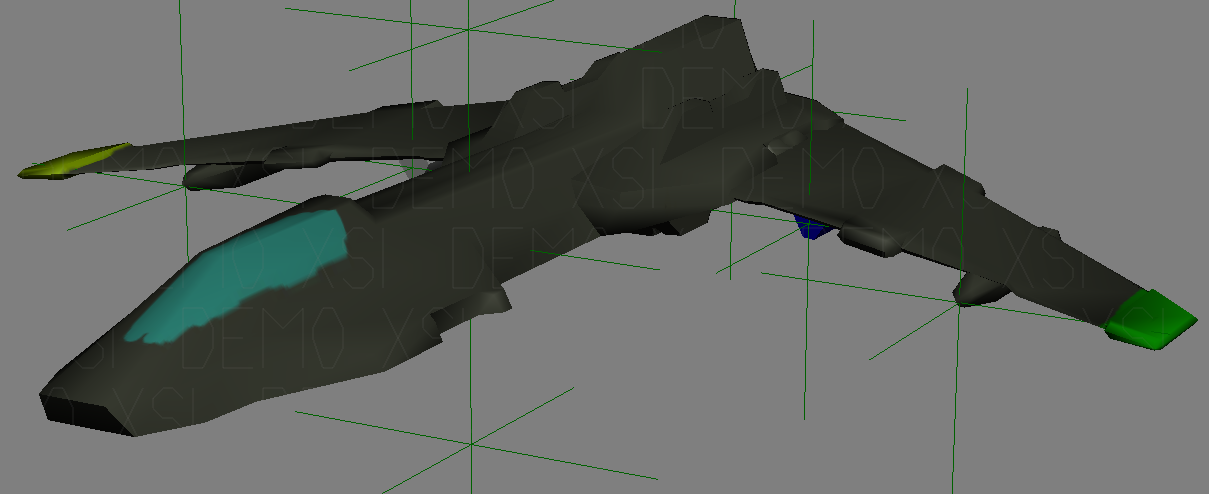
Pre Export Texture.


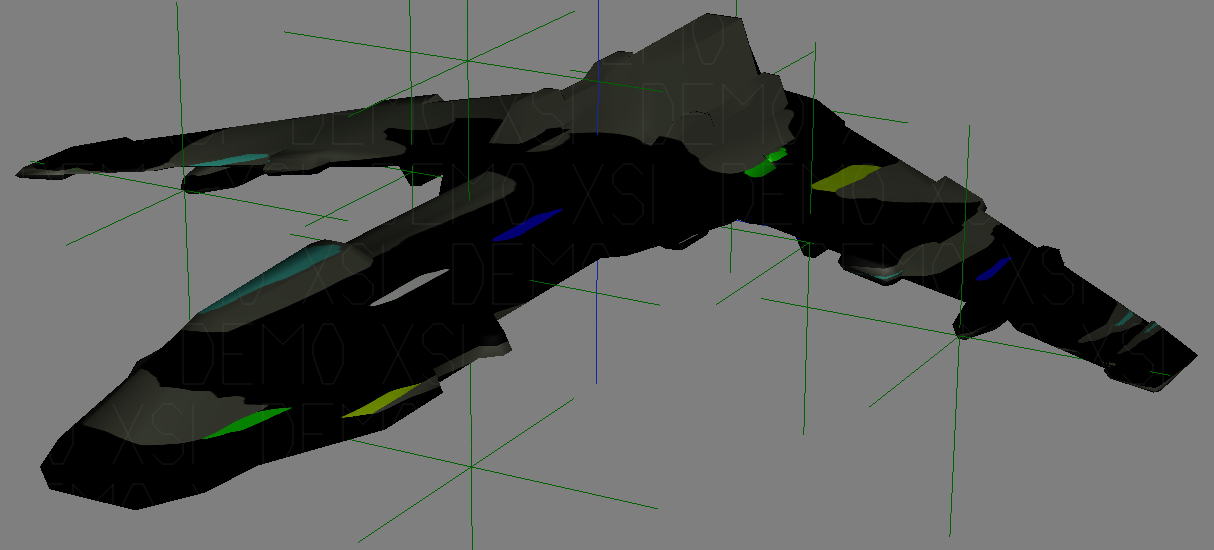
Post Export Texture.


I can successfully import an obj with UV of a cube, apply a texture that colours each side, export the XSI and then re-import without issue. Repeating the process with the model, however, doesn't have the same result unfortunately.

Reply #7 Top

Did you ever figure this out WOE? I'm having a model with an identical problem now.

Reply #8 Top

My solution was to have someone else do the UV mapping. So in all honesty, no, I did not figure this out  :(

Reply #9 Top

Quoting WOEaintME, reply 8

My solution was to have someone else do the textures. So in all honesty, no, I did not figure this out  :(

You mean do the UV map?

Reply #10 Top

Quoting GoaFan77, reply 9

You mean do the UV map?

That's what I said ;)

Haha, yes, my apologies. I gave them the textures and they made it work so I call that "doing the textures" when it really should not be called that.