Le finestre di KiCad con Groupy2 non funzionano correttamente

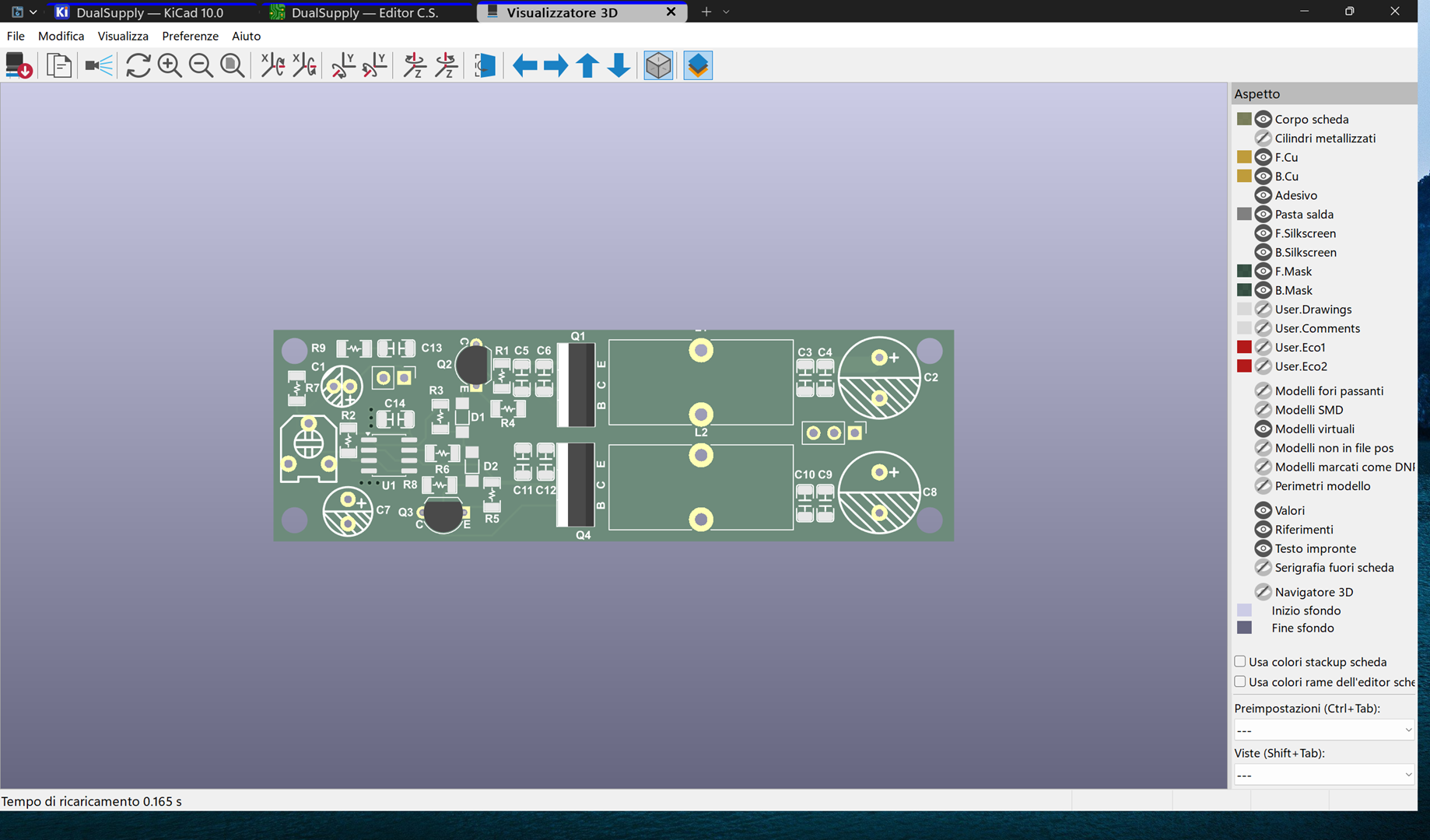
Hello, there is a bug with Groupy2 and KiCad windows when they are grouped. The windows should open remembering their previous position and size, in my case maximized, but instead they open with incorrect size and position, as shown in this example screenshot:
Translating...

As you can see, the rounded corners of Windows 11 are not present and it is not in the previous position, which was indeed maximized. If I minimize the window and then reopen it, however, it opens maximized.


To reproduce the problem, download KiCad 10 https://www.kicad.org/download/windows/


Open KiCad, go to File>open demo project> select any project.
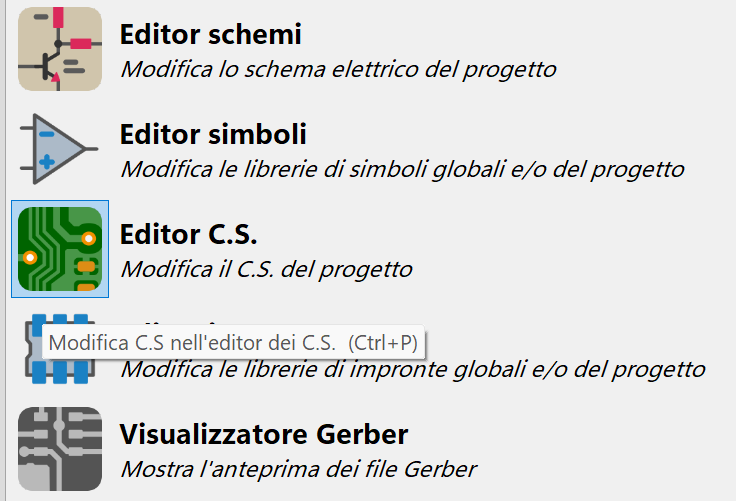
Open CS Editor and check how the window maximizes in a strange way > open View > 3D Viewer, the window always opens with the wrong size.


Open the other editors and check which windows open incorrectly. For example, from CS Editor select an item from the schema and press Ctrl + e, the same from Schema Editor.


Could you please resolve this very annoying problem?


Thank you.

 
416 views 7 replies
Reply #1 Top

Hello,
Sorry to hear you are having issues. I can't figure out the issue, perhaps I am not familiar with KiCad and how it normally act. Need to know few things.

  1. Windows full version and OS Build number. Use Winver.exe to get these.
  2. Groupy 2 full version number installed.
  3. Perhaps post some videos showing us the issue.
  4. What are your Groupy setting on KiCad,
    1. Auto group on all KiCad Windows turn on?
    2. Place tab above or integrate the tabs?

Thank you,
Basj,
Stardock Community Assistant.

Reply #2 Top

KiCad bug.gif

Here is the link with a gif that shows the problem. The problem also occurs with previous versions of Windows and Groupy.

Windows 11 25H2 26200

Groupy2 2.31 

Settings:

Windows Registry Editor Version 5.00

[HKEY_CURRENT_USER\Software\Stardock\Groupy\Groupy.ini\Groupy]
"SetupDefaultRules"="1"
"SetupDefaultRules2"="1"
"AskedAboutDelayGrouping"="1"
"NewInstallDone"="1"
"MergeTitlebar"="1"
"ShowTabBarForUngrouped"="0"
"GroupyGroupMode"="2"
"AlsoRegisterRenameKey"="0"
"ExplorerMiddleButton"="0"
"GroupyHotKey"="1"
"InclusionListMode"="0"
"UnloadedInAccount"="0"
"HideExtraTaskbarButtons"="0"
"AddBarToTabs"="1"
"EnlargedBarMode"="1"
"AutoHideMode"="0"
"TitlebarTabStyle"="0"

[HKEY_CURRENT_USER\Software\Stardock\Groupy\Groupy.ini\Groupy\AddTab]
"explorer.exe"="1"
"Microsoft.WindowsNotepad_8wekyb3d8bbwe!App"="1"
"cmd.exe"="1"
"powershell.exe"="1"
"notepad.exe"="1"
"excel.exe"="1"
"powerpnt.exe"="1"
"winword.exe"="1"
"dnGREP.exe"="1"

[HKEY_CURRENT_USER\Software\Stardock\Groupy\Groupy.ini\Groupy\AlwaysShowTabs]
"explorer.exe"="1"
"cmd.exe"="1"
"powershell.exe"="1"
"powerpnt.exe"="1"
"Bandizip.exe"="1"
"kicad.exe"="1"
"ResourceHacker.exe"="1"

[HKEY_CURRENT_USER\Software\Stardock\Groupy\Groupy.ini\Groupy\AutoGrouping]
"Bandizip.exe"="1"
"ResourceHacker.exe"="1"
"inkscape.exe"="1"
"dnGREP.exe"="1"
"eeschema.exe"="1"
"kicad.exe"="1"
"CADAssistant.exe"="1"

[HKEY_CURRENT_USER\Software\Stardock\Groupy\Groupy.ini\Groupy\Exclusions]
"C:\\Windows\\explorer.exe"="1"

[HKEY_CURRENT_USER\Software\Stardock\Groupy\Groupy.ini\Groupy\SavedColours]
"Blu"="16711680"

[HKEY_CURRENT_USER\Software\Stardock\Groupy\Groupy.ini\Groupy\SavedColoursApps]
"kicad.exe"="16711680"

[HKEY_CURRENT_USER\Software\Stardock\Groupy\Groupy.ini\Groupy\SavedColoursDocs]
"Amplifier — KiCad 7.0"="11090216"


Reply #3 Top

Hello,
I have forwarded your problem/question to Stardock Support Team for their assistance. Please keep an eye on this thread for any updates. We appreciate your feedback and patience. Thank you.

Basj,
Stardock Community Assistant

Reply #4 Top

Is this program you work with the only one that has this issue?

Sean Drohan
Product Lifecycle Manager

Reply #5 Top

Yes, this problem has only occurred with KiCad, I am attaching the program info:

Code: asp.net
  1. Application: KiCad PCB Editor x64 on x64 Version: 10.0.1, release build Libraries: wxWidgets 3.3.2 FreeType 2.13.3 HarfBuzz 12.3.0 FontConfig 2.17.1 libcurl/8.18.0 Schannel zlib/1.3.1 Platform: Windows 11 (build 26200), versione 64-bit, 64 bit, Little endian, wxMSW OpenGL: Intel, Intel(R) Graphics, 4.6.0 - Build 32.0.101.8243 Build Info: Date: Apr 15 2026 19:23:15 wxWidgets: 3.3.2 (wchar_t,STL containers) Boost: 1.90.0 OCC: 7.9.2 Curl: 8.18.0 ngspice: 46 Compiler: Visual C++ 1944 without C++ ABI KICAD_IPC_API=ON KICAD_USE_PCH=OFF Locale: Lang: it_IT Enc: UTF-8 Num: 1,234.5 Encoded кΩ丈: D0BACEA9E4B888 (sys), D0BACEA9E4B888 (utf8)


Reply #6 Top

Hi Texano88,

This article covers some general troubleshooting steps for apps that don't behave as expected with Groupy: X app will not group

It may or may not apply to the specific window positioning issue you're seeing with KiCad, but it's worth a look.

Adam McGuinness
Stardock Support Specialist