Getting rid of the Windows 7 included wallpapers

...a how to.

Skinners like to mess with defaults....we screw up our systems quite well doing it, too.

This one had me stumped.  I just could not get 'control' of the included folders in windows/web/wallpaper/  no matter what I poked and prodded.

The solution is a reg 'hack' to merge...and you can regain ownership of what are otherwise locked folders/images/etc.

http://www.herbystweaks.net/files/TakeOwn.zip 

The only warning is that you are merging and thus altering registry entries...so if you are nervous about that....simply do not do it.

Included within the zip is a reversal option to restore your system to 'normal'.

Read the included text doc for details...;)

84,699 views 38 replies
Reply #1 Top

it's actually quite painless, even an idiot like me could do it. for those that don't know, the location of the files is C:\Windows\Web\Wallpaper

Reply #2 Top

Yeah, I didn't reg hack anything.  Seems like you made something easy into something hard.

Reply #3 Top

Seems like you made something easy into something hard.

"You need permission from TrustedInstaller to make changes to this folder."

"Try Again"


No modding of permissions appeared to be able to access them for deletion.


Reply #4 Top

You could delete anything you want in safe mode.

Reply #5 Top

Okay, but please excuse me for asking.  Why would you want to get rid the Windows 7 included wallpapgers? :S

Reply #6 Top

Quoting eetmorsqrls, reply 1
it's actually quite painless, even an idiot like me could do it. for those that don't know, the location of the files is C:\Windows\Web\Wallpaper

Sorry Jafo But I tried and I can access the files, architecture, characters, all of them

I don't understand why you cannot. Stupid question? Did yo log on as admin?

Reply #7 Top

I forgot to mention that I am running an upgrade of Win 7 HP from Vista HP and not the full install.

Reply #8 Top

no problems here , and did, useless low quality images.

Reply #9 Top

Actually, you do not need to do any of this. Follow these instructions.

Browse to c:\windows\windows\web\wallpaper

Right click on wallpaper and click properties. Select the Security tab and then click the Advanced button.

Click the owner tab. Current owner is probably listed as System. Change Owner to field should have your currently logged on user listed. This account must have local admin rights to the system to make the next changes.

Click the Edit button. Now click your currently logged on user account under the Change owner to field. Check the box of Replace owner on subcontainers and objects. Now click Ok and confirm you want to do this. Once you have taken Ownership of the folder and subfolders then continue below.

Go back to the wallpaper properties and select the Security tab. Click the Edit button and add your currently logged on user account to this list. Give yourself Full Control permissions and click Ok. Now click the Advanced button and then the Change permissions button. Check the box Replace all child object permissions with inheritable permissions from this object. Click Ok and confirm this. Now all the folders and files under the Wallpaper folder should be under your control and you should have Full access permissions to them. Now choose what you want to delete.

Yes, this is alot of steps, but it is the correct way of doing this. And there is no need to "hack" anything.

I hope this helps!


Reply #10 Top

Okay, but please excuse me for asking. Why would you want to get rid the Windows 7 included wallpapgers?


They aren't every good.

Reply #11 Top

They aren't every good.

Yeah, and they aren't very good, either. :rofl:

Reply #12 Top

Geesh... I'm glad John's skinning is better than his grammar... :)

Reply #13 Top

Actually, you do not need to do any of this. Follow these instructions.

Browse to c:\windows\windows\web\wallpaper

Right click on wallpaper and click properties. Select the Security tab and then click the Advanced button.

Click the owner tab. Current owner is probably listed as System. Change Owner to field should have your currently logged on user listed. This account must have local admin rights to the system to make the next changes.

Click the Edit button. Now click your currently logged on user account under the Change owner to field. Check the box of Replace owner on subcontainers and objects. Now click Ok and confirm you want to do this. Once you have taken Ownership of the folder and subfolders then continue below.

Go back to the wallpaper properties and select the Security tab. Click the Edit button and add your currently logged on user account to this list. Give yourself Full Control permissions and click Ok. Now click the Advanced button and then the Change permissions button. Check the box Replace all child object permissions with inheritable permissions from this object. Click Ok and confirm this. Now all the folders and files under the Wallpaper folder should be under your control and you should have Full access permissions to them. Now choose what you want to delete.

Yes, this is alot of steps, but it is the correct way of doing this. And there is no need to "hack" anything.

I hope this helps!

Ah...you see...I tried all of that originally...and at one time or another I'd encounter Catch22.

The 'hack' is a simple registry merge that is actually a lot easier....and gives you a context menu item accessible by right-click that you can then use on any file or folder you wish.

....and yes, I was logged in as Admin....;)

Reply #14 Top

They aren't every good.

Zubaz is contagious :grin:

Reply #15 Top

Geesh... I'm glad John's skinning is better than his grammar...


You should try my cooking :w00t:

Reply #16 Top

You should try my cooking

o_O

Just stick to skinning, my friend!

My wife won't even let me in the kitchen! :rofl:

Reply #17 Top

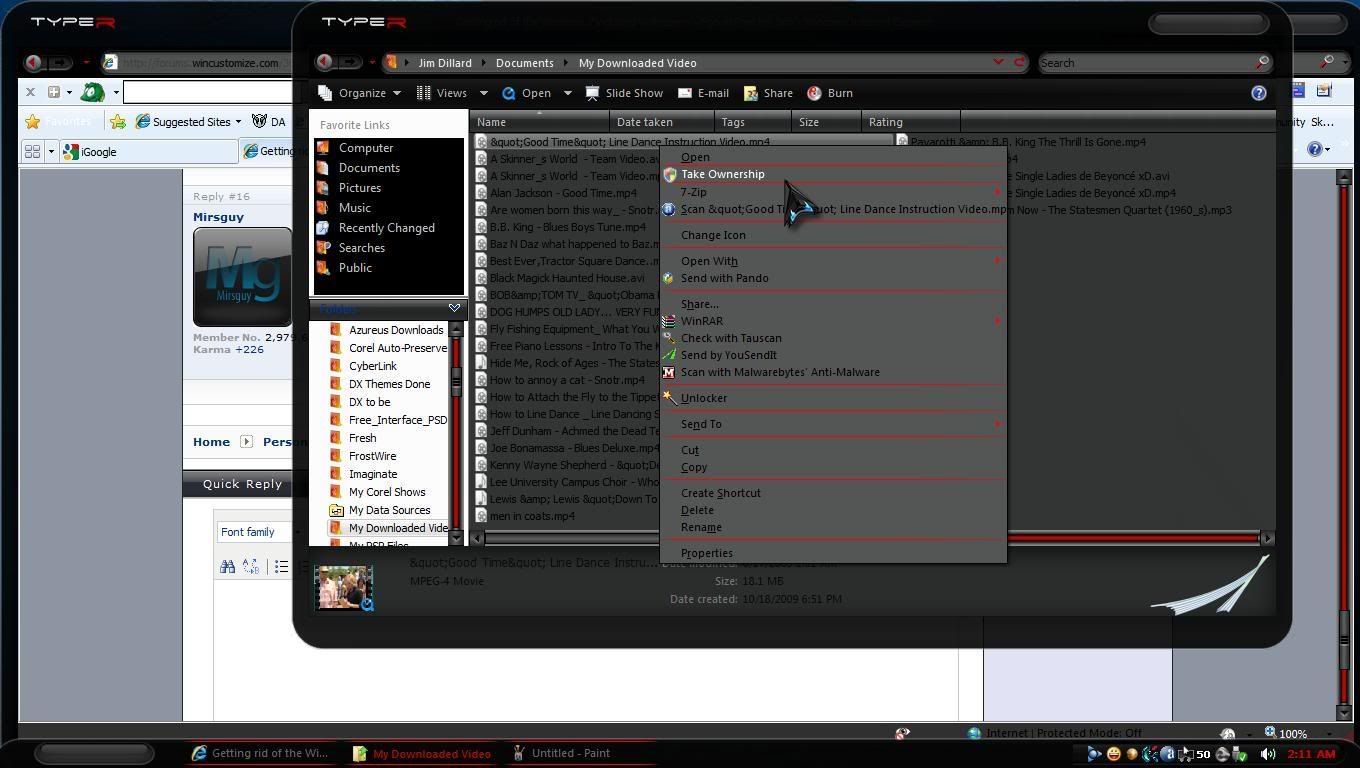
Like this, had this a while.

Reply #18 Top

I normally use a wall of my own choice/something to fit the theme I'm using, but this thread aroused my curiosity so I took a gander at the included walls... piss poor, to say the least, is about all I can manage.  Most of 'em look like those 'less than perfect' models (fashion or nude) who've been photo-shopped to all buggery to hide all the blemishes.

Oh well.... back to walls I like.


Reply #19 Top

Jim...line dance instructional video...please, say it aint so. 8O ;)

Reply #20 Top

Jim...line dance instructional video...please, say it aint so


He is a redneck!

Reply #21 Top

Hey! there nuthin wrong with line dancing!!!! :hrmph:


or Possum stew :w00t:

Reply #22 Top

As a matter of interest there's a second location in Win 7 for some default walls.... windows/globalization/mct/

That's where the 'local' images are located...eg if you are in the US they will be US-related walls.

Reply #23 Top

Quoting 2of3, reply 20

Jim...line dance instructional video...please, say it aint so
 

He is a redneck!


and if you have any doubts about that just look down a few to "Best Ever Tractor Square Dance" :rofl:


Reply #24 Top

Quoting CarGuy1, reply 19
Jim...line dance instructional video...please, say it aint so.

My father in law calls square dances and teaches line dance. Also, we do barn dances, and yours truly is the DJ.     DJ Redneck!!


I sometimes get videos to view for ideas for our own videos.

I run a CD/DVD duplications service and mass produce CDs and DVDs for people. We shoot video, I edit video and audio for our company. My father in law has owned a recording studio for 42 years. It is called Red Boot Productions. We also have a branch for his son. He is a musician. You should check out the website I created for him here. I am working on one for our branch too.


I'm not much for dancing, but I have taken a few lessons...lol. I do enjoy watching the college kids have fun dancing, and I enjoy being the DJ....I love music. We usually have 100- 200 dancers at our barn dances. Most are sponsored by church groups to give college aged kids something wholesome to do.

Reply #25 Top

Oh, and one barn dance we do annually is catered by the Firehouse Restaurant...a local place that has the best pulled BBQ this side of heaven!!!  mmmmmm.....:drool: