DrJBHL DrJBHL

August 2023 Desktop Screenshots

August 2023 Desktop Screenshots

Post yours!

Well, it's August, already. Hottest month over with...hoping (against hope) August will be somehow better.

Decided to give tribute to three great Master skinners, and really good people...one of whom is here in memory only, Xiandi (Lady X), PoSmedley, and WebGizmos. They collaborated to create a beautiful skin, my desktop of the month: Xiandi the Windowblind and CursorFX, PoSmedley, the walls, and WebGizmos, the Winstep Xtreme.

We're talkin' Metropolite:


308,665 views 124 replies +2 Loading…
Reply #103 Top

Quoting DrJBHL, reply 102


Quoting LightStar,

Keep an eye out for this one on my site tomorrow! :)


LightStar Design – OS Customization Designs


Gorgeous skin! What size taskbar are you using, Tom?

End of DrJBHL's quote

Well, the actual full image is 1118 x 42 Doc (top and bottom). But the top and bottom text settings on the taskbar buttons make it 55 pixels tall in the screenshot. :-)

Reply #104 Top

Quoting LightStar, reply 101

Keep an eye out for this one on my site tomorrow! :)


LightStar Design – OS Customization Designs
End of LightStar's quote
Wow!! You really outdid yourself on this, Tom! That really looks fantastic. The lighting effects alone make this one worth 15/10!

+1 Loading…
Reply #105 Top

Quoting LightStar, reply 103


Quoting DrJBHL,


Quoting LightStar,


Keep an eye out for this one on my site tomorrow! :)


LightStar Design – OS Customization Designs


Gorgeous skin! What size taskbar are you using, Tom?


Well, the actual full image is 1118 x 42 Doc (top and bottom). But the top and bottom text settings on the taskbar buttons make it 55 pixels tall in the screenshot. :)

End of LightStar's quote

I should have asked "small, medium or large" as it's Start11 on a W11 machine. The Start button is off centered, a bit "high" as I'm using the small task bar. I'll play with it a bit. Thanks, though for your answer, my friend. :)

edit: Going to the medium sized taskbar fixed it. :thumbsup:  

Reply #106 Top

Vampthika's The Raven with Sed's wallpaper AbZ Mid 7 (recolored).

Reply #107 Top

I uninstalled WindowBlinds for now. Too many inconsistencies for me, different looks of different programs, black fonts on dark backgrounds (dark mode problem) and the like. It just hurts my eyes an let's my inner aesthetics cry.

It's not anybodies fault (!), given how Windows changed and considering, what we could do with Windows 2000 that was more & more impossible anymore. Very frustrating for me.


+1 Loading…
Reply #108 Top

Illuminate was everything I hoped it would be...a beautiful skin. I changed the wall a tad, hope Tom forgives me.


+3 Loading…
Reply #109 Top

You are forgiven Doc! Nice screenshot! :-)

Reply #110 Top

Quoting LightStar, reply 109

You are forgiven Doc! Nice screenshot! :)
End of LightStar's quote

Thanks. ;)

Reply #111 Top

Aeon by Z71 recolored RED

Link to the skin Aeon

+1 Loading…
Reply #112 Top

Quoting Chasbo, reply 111

Aeon by Z71 recolored RED

Link to the skin Aeon


End of Chasbo's quote

Oh yeah. Chuck, that is   s e x y !

Reply #114 Top

Quoting The-Reaper-Man, reply 113

Currently using Daily WB by Essorant.
End of The-Reaper-Man's quote

:thumbsup:  nice blue, Reap. 

Reply #115 Top

Quoting DrJBHL, reply 114


Quoting The-Reaper-Man,

Currently using Daily WB by Essorant.


:thumbsup:  nice blue, Reap. 

End of DrJBHL's quote
Bluesy Monday, Doc! Bluesy Monday! :grin:  

Reply #116 Top

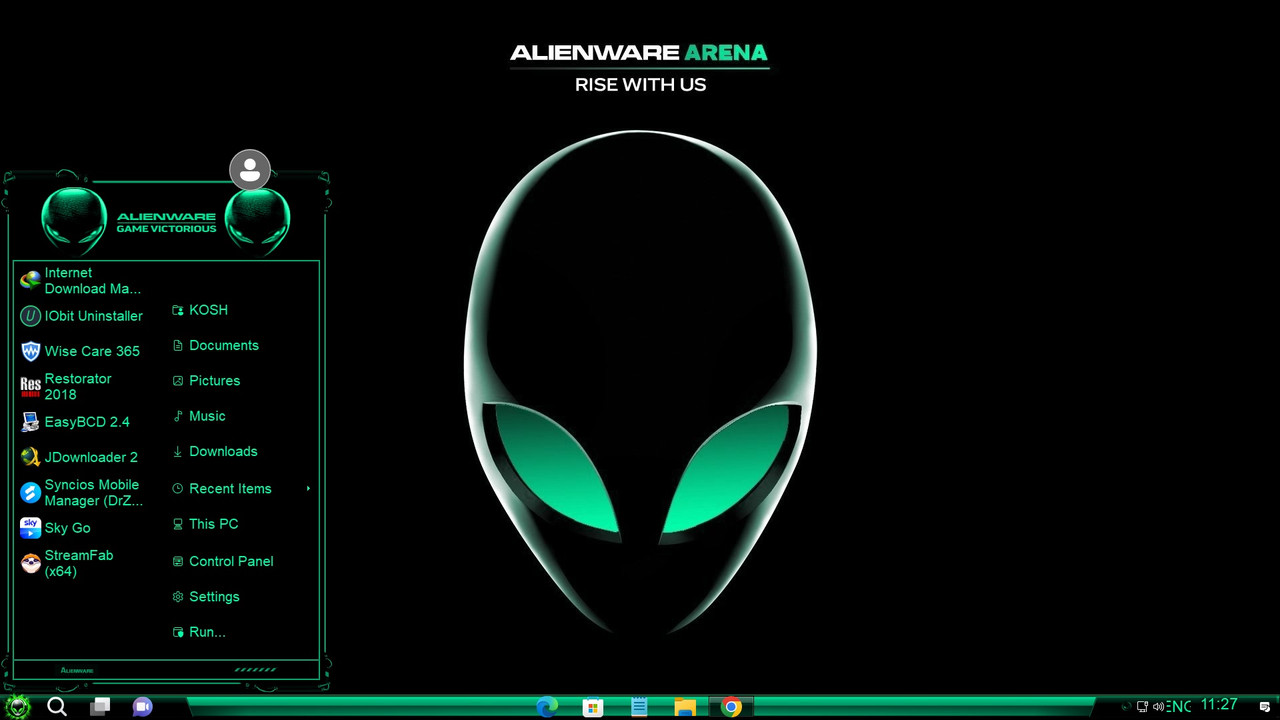
Here Is Alienware V4 Theme, Originally Very Dark Blue, We Have Made 4 sub styles, Green, Red, Bluesy Green, and Vivid Blue

Alienware Bluesy Green Theme.

Reply #117 Top

iLook and Basement Blaze


+1 Loading…
Reply #118 Top

Quoting BigDogBigFeet, reply 117

iLook and Basement Blaze


End of BigDogBigFeet's quote

Nice! iLook...and the wall - good combo. :thumbsup:  

Reply #119 Top

A continuation of my experience theme. This time classic mode. I hope to have all classic colors done eventually. Its a lot of recoloring. XD

Brick - Complete
Desert- Complete
Eggplant
Lilac
Maple
Plum
Pumpkin
Rainy Day
Red, White and Blue
Rose
Slate
Spruce
Storm
Teal
Wheat

[High Contrast Modes] <--- These Styles are on the backburner....
High Contrast #1
High Contrast #2
High Contrast Black
High Contrast White

Reply #120 Top

Quoting SimplexDesigns, reply 119

A continuation of my experience theme. This time classic mode. I hope to have all classic colors done eventually. Its a lot of recoloring. XD

Brick - Complete
Desert- Complete
Eggplant
Lilac
Maple
Plum
Pumpkin
Rainy Day
Red, White and Blue
Rose
Slate
Spruce
Storm
Teal
Wheat


[High Contrast Modes] <--- These Styles are on the backburner....
High Contrast #1
High Contrast #2
High Contrast Black
High Contrast White


End of SimplexDesigns's quote

Looks good so far, SD. 


Reply #121 Top

Maybe a dump question, but can't You let the user do all the recolouring via WB? ;-) If I remember right there are definable parts for that?

Reply #122 Top

Quoting c242, reply 121

Maybe a dump question, but can't You let the user do all the recolouring via WB? ;) If I remember right there are definable parts for that?
End of c242's quote

Yes, however, the colors are not accurate for each classic mode color. Hence me having to make graphics for each substyle. Plus it messes with the start button flag colors.

+1 Loading…
Reply #123 Top

Quoting SimplexDesigns, reply 122


Quoting c242,

Maybe a dump question, but can't You let the user do all the recolouring via WB? ;) If I remember right there are definable parts for that?


Yes, however, the colors are not accurate for each classic mode color. Hence me having to make graphics for each substyle. Plus is messes with the start button flag colors.

End of SimplexDesigns's quote

Ah, understood.

Reply #124 Top

September's thread has been posted.