


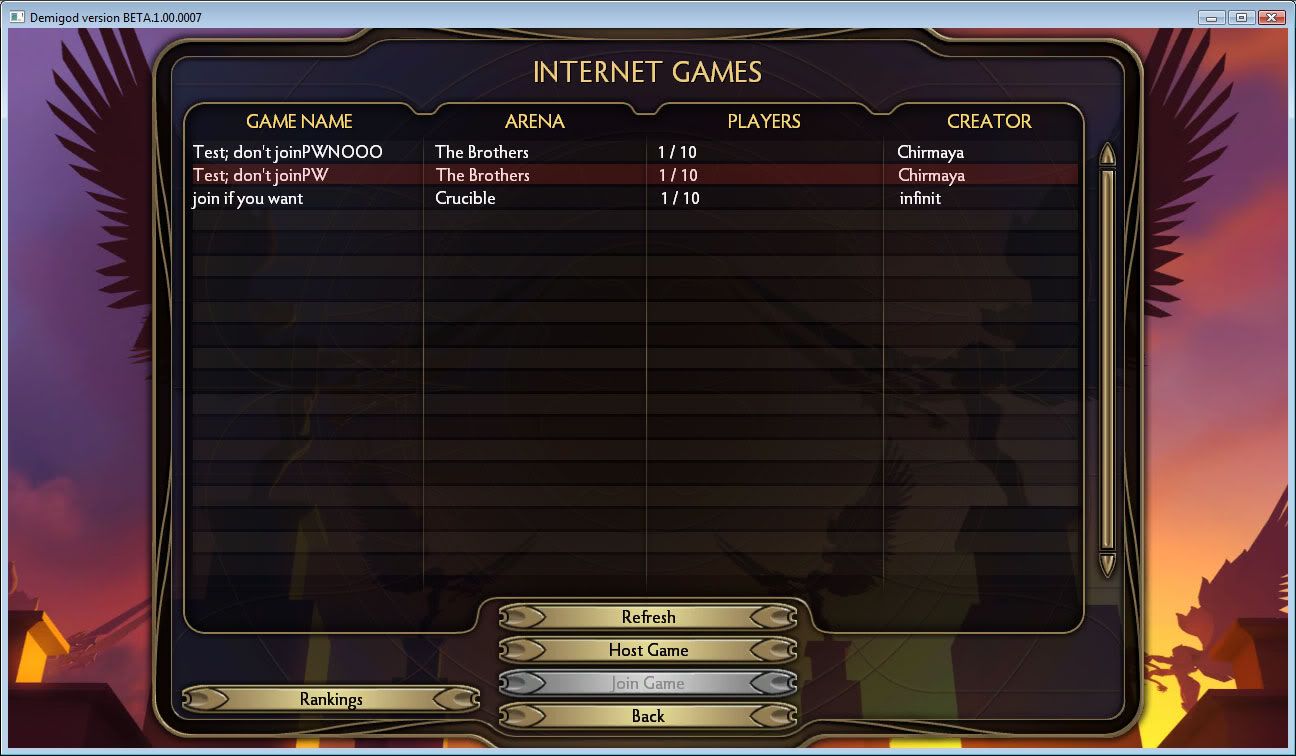
[REL] Beta 3 Passworded Room Display
from  Demigod Forums
Demigod Forums
Changes:
- Highlights lobbies in red to show that they have passwords.
*Note: This is a User-Interface mod, so it doesn't require anyone else to have it installed.
1. Go to the folder where Demigod is installed. eg. C:\Program Files (x86)\Stardock Games\Demigod
2. Extract dgdata.zip to a folder called dgdata.
3. Rename dgdata.zip to something else. eg. dgdata2.zip
4. Rename the dgdata folder to dgdata.zip.
5. Copy Join.lua over the same file located at:
dgdata.zip(the folder)\lua\ui\menus\Join\Join.lua
6. Now it should work, but remember: Rename the folder to something else and rename the zip file back to the original name before you install any new updates.
 Stardock Forums